| 123456789101112131415161718192021222324252627282930313233343536373839404142434445464748495051525354555657585960616263646566676869707172737475767778798081828384858687888990919293949596979899100101102103104105106107108109110111112113114115116117118119120121122123124125126127128129130131132133134135136137138139140141142143144145146147148149150151152153154155156157158159160161162163164165166167168169170171172173174175176177178179180181182183184185186187188189190191192193194195196197198199200201202203204205206207208209210211212213214215216217218219220221222223224225226227228229230231232233234235236237238239240241242243244245246247248249250251252253254255256257258259260261262263 |
- Metadata-Version: 2.4
- Name: pytweening
- Version: 1.2.0
- Summary: A collection of tweening (aka easing) functions.
- Home-page: https://github.com/asweigart/pytweening
- Author: Al Sweigart
- Author-email: al@inventwithpython.com
- License: MIT
- Keywords: 2D animation tween tweening easing
- Classifier: Development Status :: 5 - Production/Stable
- Classifier: Environment :: Win32 (MS Windows)
- Classifier: Environment :: X11 Applications
- Classifier: Environment :: MacOS X
- Classifier: Intended Audience :: Developers
- Classifier: Operating System :: OS Independent
- Classifier: License :: OSI Approved :: MIT License
- Classifier: Programming Language :: Python
- Classifier: Programming Language :: Python :: 2
- Classifier: Programming Language :: Python :: 2.7
- Classifier: Programming Language :: Python :: 3
- Classifier: Programming Language :: Python :: 3.4
- Classifier: Programming Language :: Python :: 3.5
- Classifier: Programming Language :: Python :: 3.6
- Classifier: Programming Language :: Python :: 3.7
- Classifier: Programming Language :: Python :: 3.8
- Classifier: Programming Language :: Python :: 3.9
- Classifier: Programming Language :: Python :: 3.10
- Classifier: Programming Language :: Python :: 3.11
- Classifier: Programming Language :: Python :: 3.12
- Description-Content-Type: text/markdown
- License-File: LICENSE.txt
- License-File: AUTHORS.txt
- Dynamic: author
- Dynamic: author-email
- Dynamic: classifier
- Dynamic: description
- Dynamic: description-content-type
- Dynamic: home-page
- Dynamic: keywords
- Dynamic: license
- Dynamic: license-file
- Dynamic: summary
- PyTweening
- ==========
- A collection of tweening (aka easing) functions implemented in Python. You can learn more about it in this blog post: https://inventwithpython.com/blog/2024/02/20/make-lively-movement-animation-with-pytweenings-tweening-functions/ and in the Nordic Game Jam talk by Martin Jonasson and Petri Purho at https://youtu.be/Fy0aCDmgnxg?si=8pgITaxjJSKFyBuB&t=159
- Example Usage
- =============
- All tweening functions are passed an argument of a float from 0.0 (the beginning of the path) to 1.0 (the end of the path) of the tween:
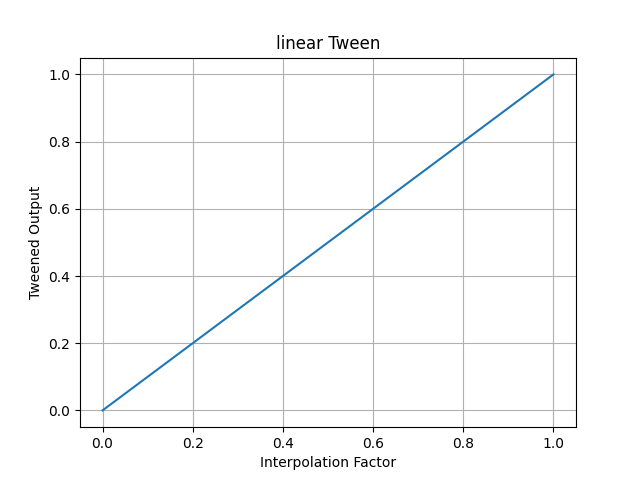
- >>> pytweening.linear(0.5)
- 0.5
- >>> pytweening.linear(0.75)
- 0.75
- >>> pytweening.linear(1.0)
- 1.0
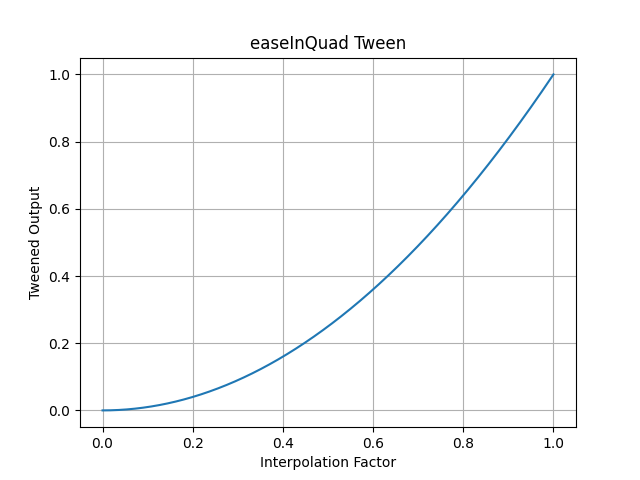
- >>> pytweening.easeInQuad(0.5)
- 0.25
- >>> pytweening.easeInQuad(0.75)
- 0.5625
- >>> pytweening.easeInQuad(1.0)
- 1.0
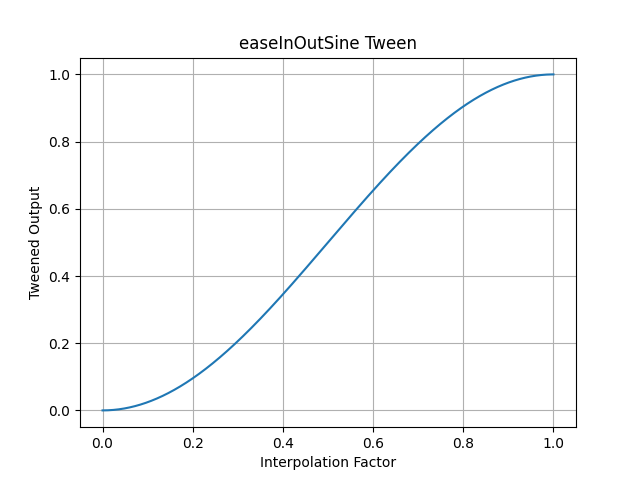
- >>> pytweening.easeInOutSine(0.75)
- 0.8535533905932737
- >>> pytweening.easeInOutSine(1.0)
- 1.0
- The getLine() function also provides a Bresenham line algorithm implementation:
- >>> pytweening.getLine(0, 0, 5, 10)
- [(0, 0), (0, 1), (1, 2), (1, 3), (2, 4), (2, 5), (3, 6), (3, 7), (4, 8), (4, 9), (5, 10)]
- The getLinePoint() function finds (interpolates) a point on the given line (even if it extends before or past the start or end points):
- >>> getLinePoint(0, 0, 5, 10, 0.0)
- (0.0, 0.0)
- >>> getLinePoint(0, 0, 5, 10, 0.25)
- (1.25, 2.5)
- >>> getLinePoint(0, 0, 5, 10, 0.5)
- (2.5, 5.0)
- >>> getLinePoint(0, 0, 5, 10, 0.75)
- (3.75, 7.5)
- >>> getLinePoint(0, 0, 5, 10, 1.0)
- (5.0, 10.0)
- PyTweening also provides iterators to get the XY coordinates in a for loop between two points (though some floating-point rounding errors naturally occur):
- >>> import pytweening
- >>> for x, y in pytweening.iterLinear(0, 0, 100, 150, 0.1): print(x, y)
- ...
- 0.0 0.0
- 10.0 15.0
- 20.0 30.0
- 30.000000000000004 45.00000000000001
- 40.0 60.0
- 50.0 75.0
- 60.0 90.0
- 70.0 105.0
- 80.0 119.99999999999999
- 89.99999999999999 135.0
- 100.0 150.0
- >>> for x, y in pytweening.iterEaseOutQuad(0, 0, 100, 150, 0.1): print(x, y)
- ...
- 0.0 0.0
- 19.0 28.5
- 36.00000000000001 54.00000000000001
- 51.0 76.5
- 64.00000000000001 96.00000000000001
- 75.0 112.5
- 84.0 126.0
- 90.99999999999999 136.5
- 96.00000000000001 144.0
- 99.0 148.5
- 100.0 150.0
- Tweens
- ======
- pytweening.linear()
- 
- pytweening.easeInQuad()
- 
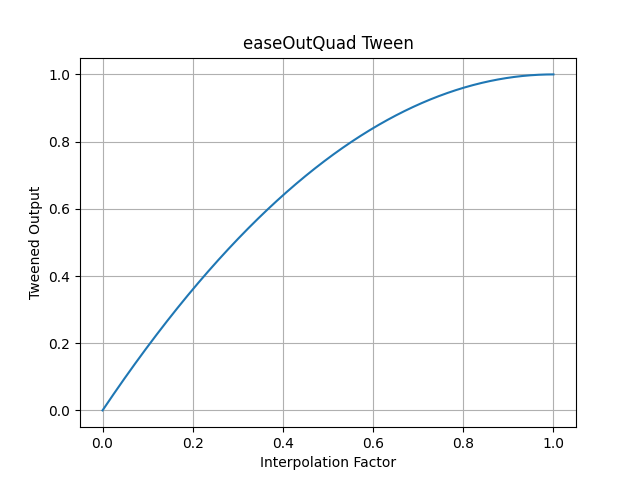
- pytweening.easeOutQuad()
- 
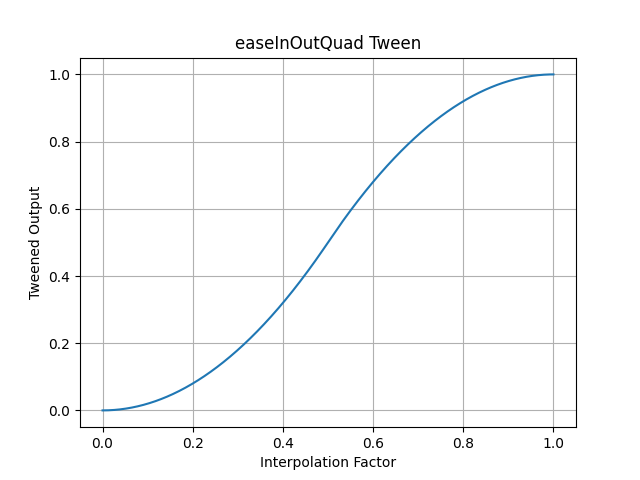
- pytweening.easeInOutQuad()
- 
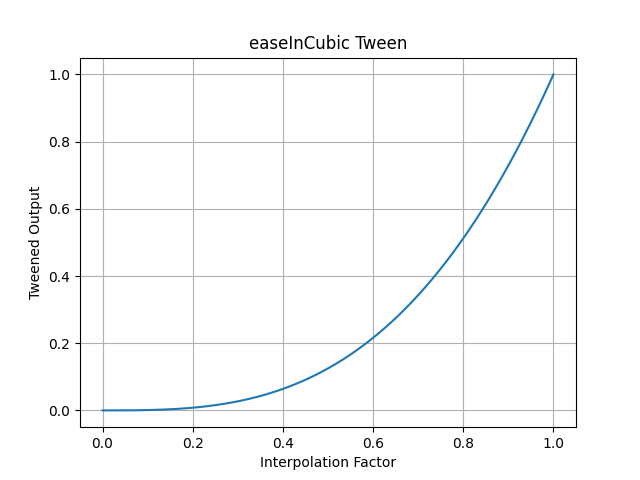
- pytweening.easeInCubic()
- 
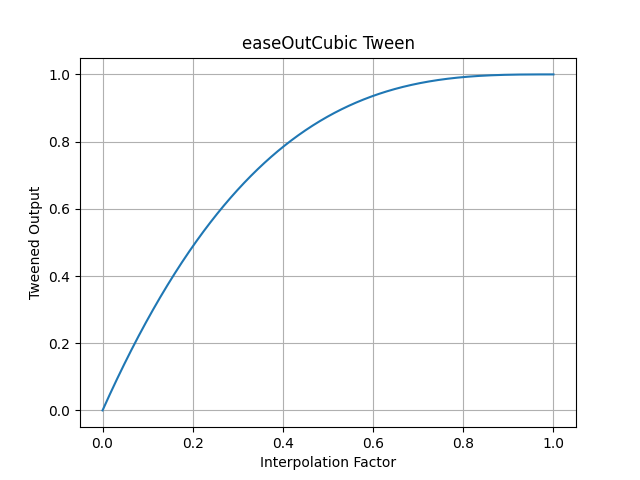
- pytweening.easeOutCubic()
- 
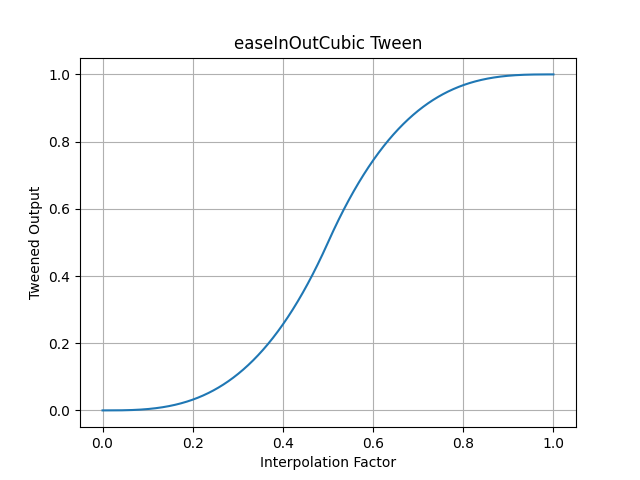
- pytweening.easeInOutCubic()
- 
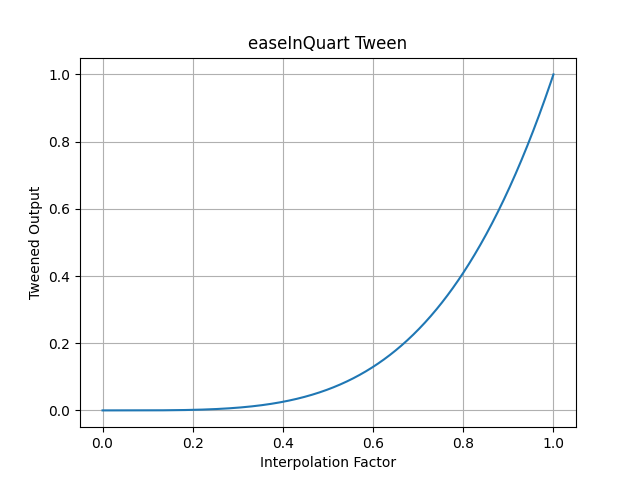
- pytweening.easeInQuart()
- 
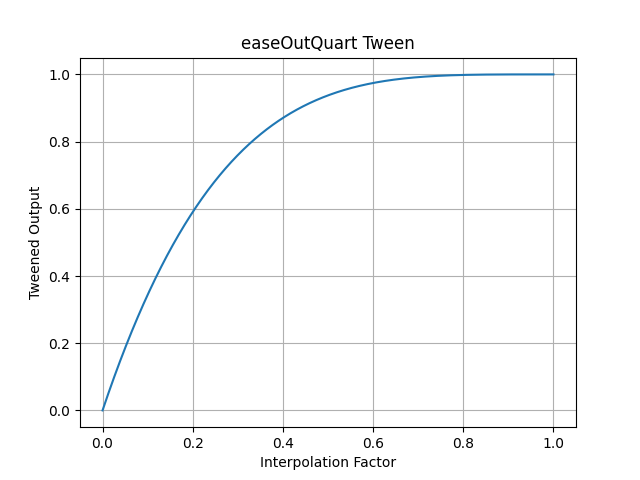
- pytweening.easeOutQuart()
- 
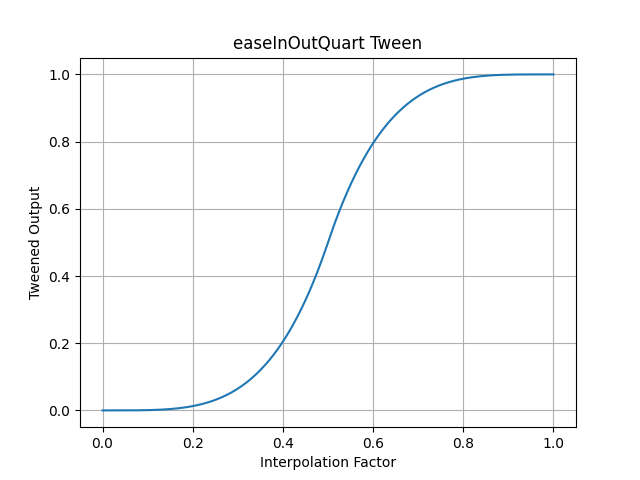
- pytweening.easeInOutQuart()
- 
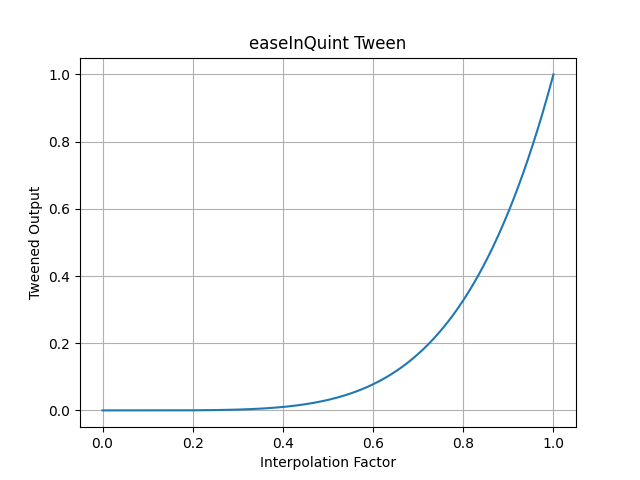
- pytweening.easeInQuint()
- 
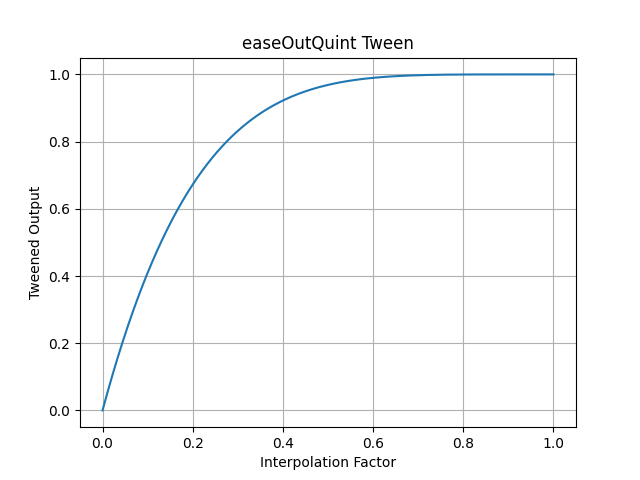
- pytweening.easeOutQuint()
- 
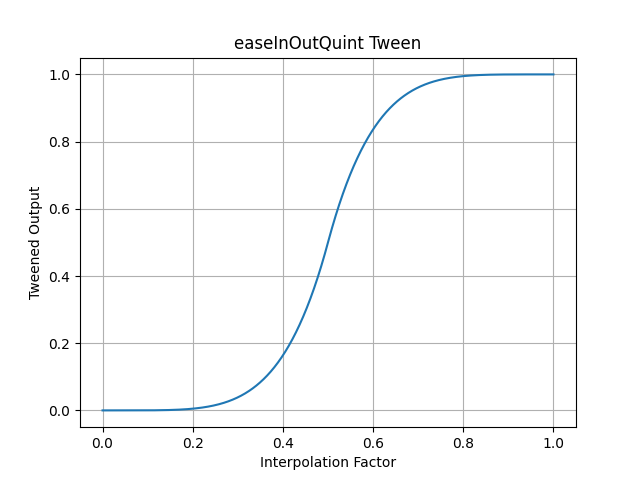
- pytweening.easeInOutQuint()
- 
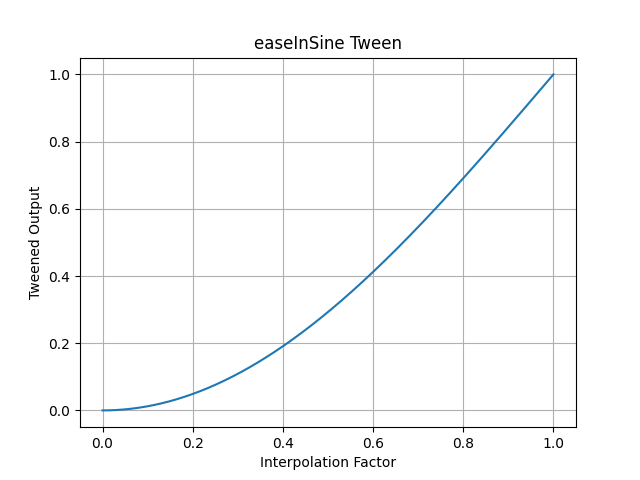
- pytweening.easeInSine()
- 
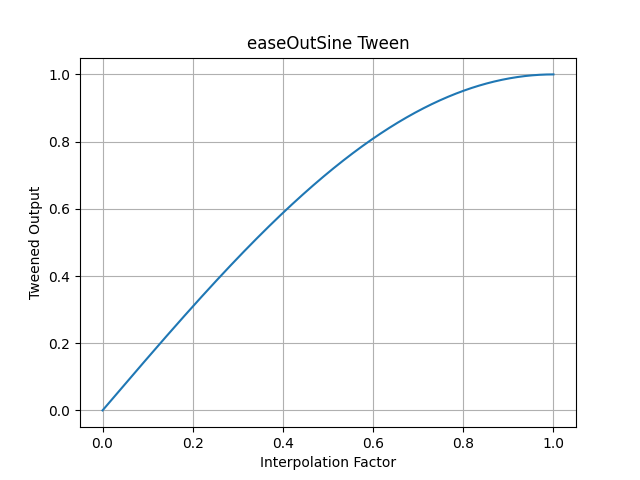
- pytweening.easeOutSine()
- 
- pytweening.easeInOutSine()
- 
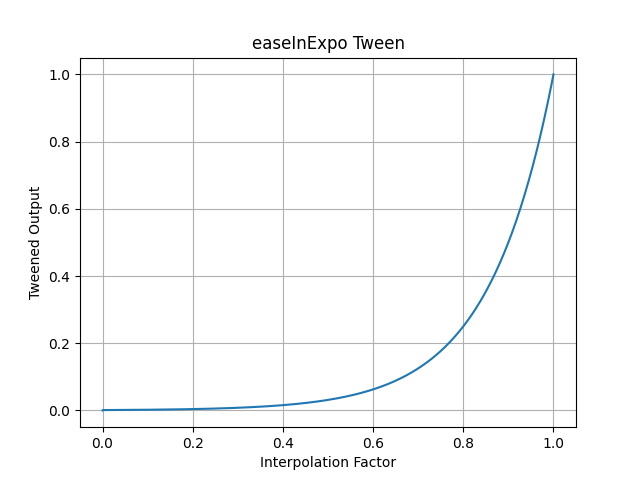
- pytweening.easeInExpo()
- 
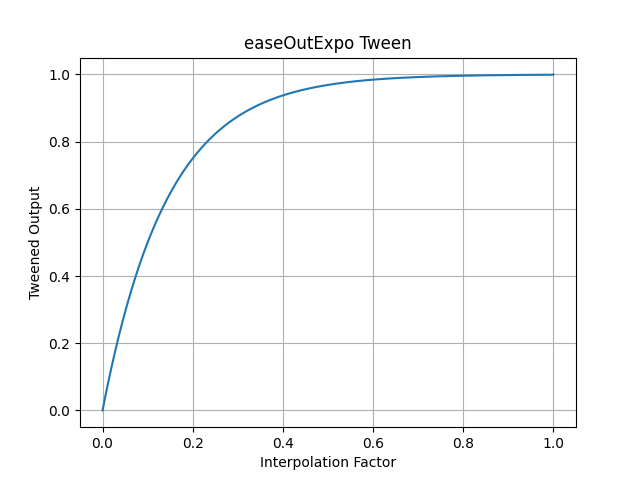
- pytweening.easeOutExpo()
- 
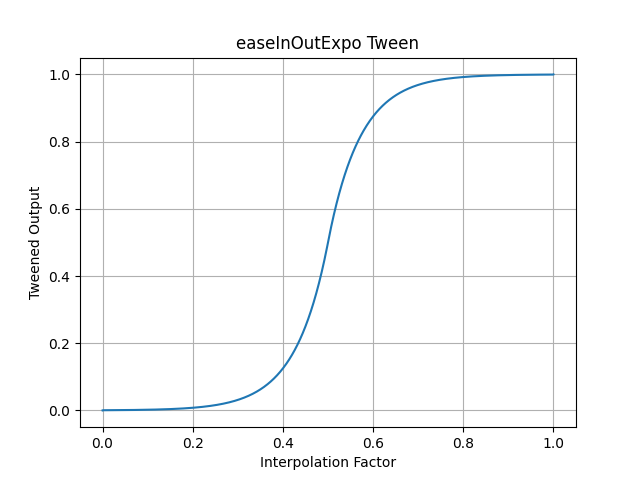
- pytweening.easeInOutExpo()
- 
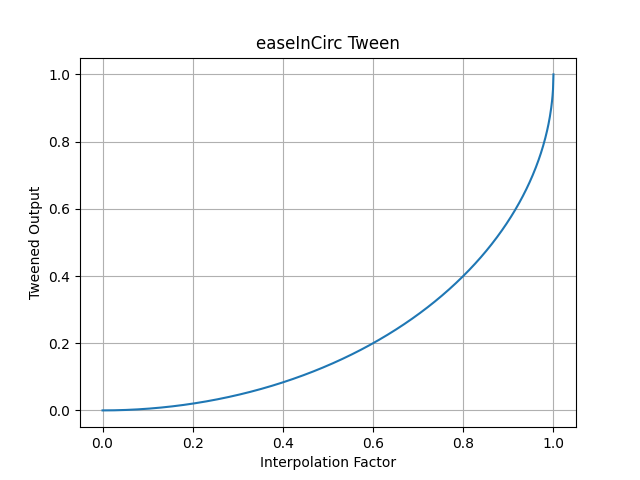
- pytweening.easeInCirc()
- 
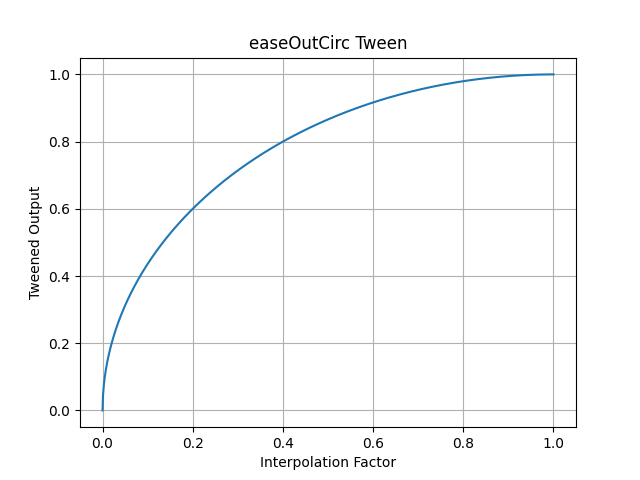
- pytweening.easeOutCirc()
- 
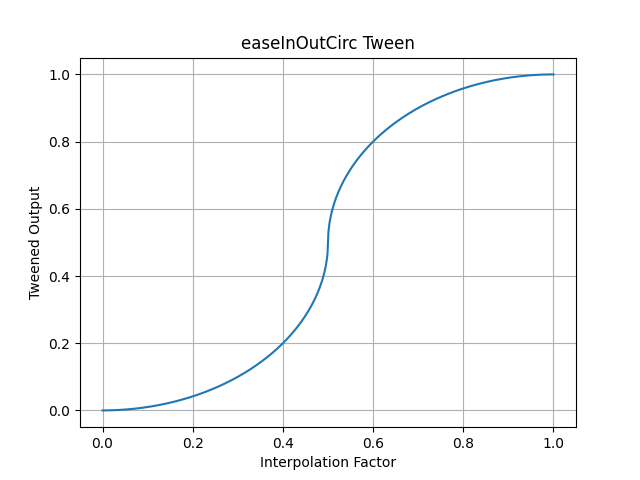
- pytweening.easeInOutCirc()
- 
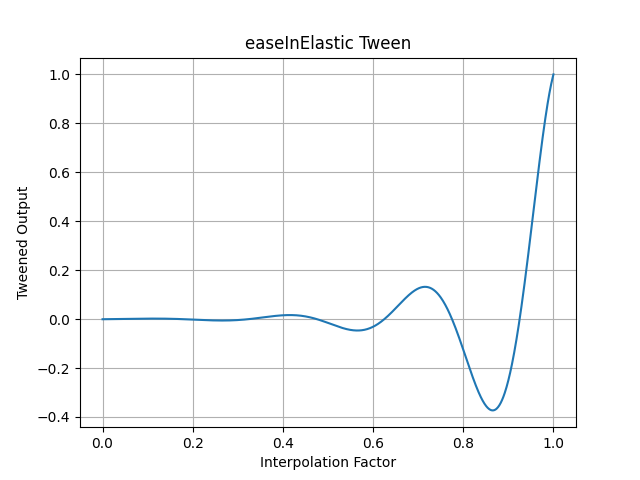
- pytweening.easeInElastic()
- 
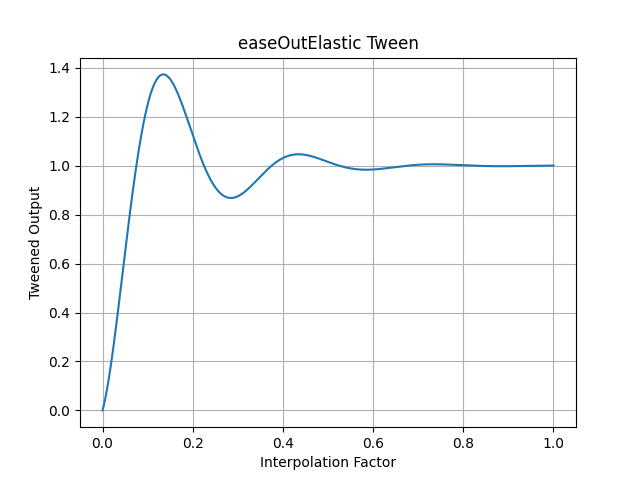
- pytweening.easeOutElastic()
- 
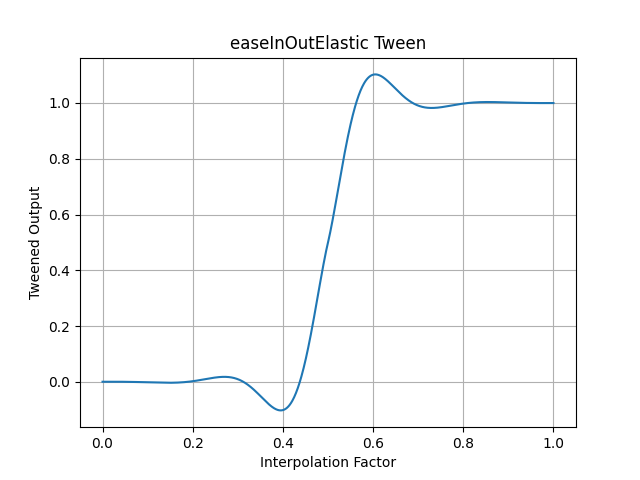
- pytweening.easeInOutElastic()
- 
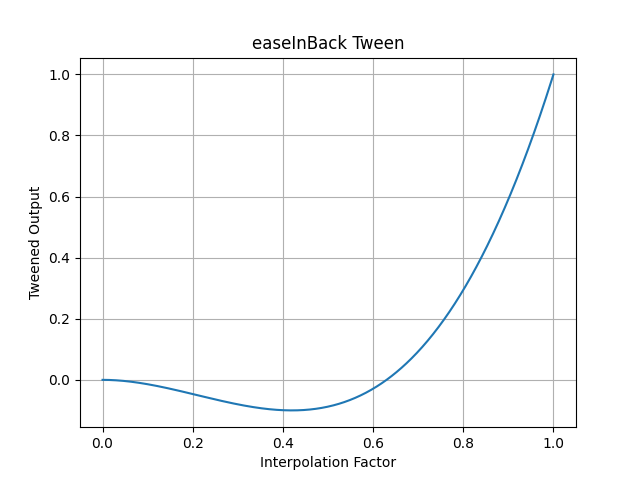
- pytweening.easeInBack()
- 
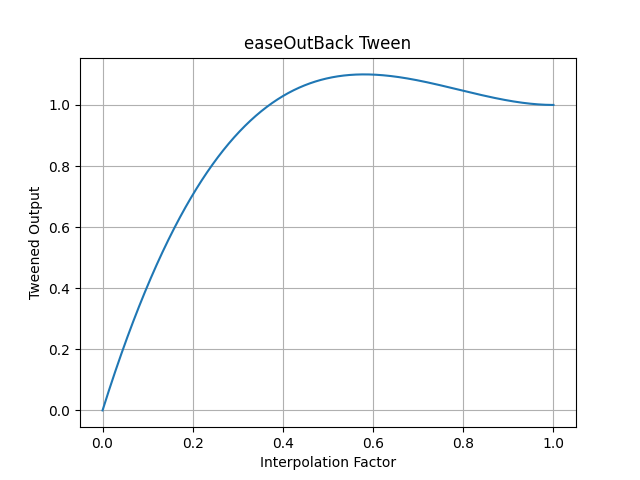
- pytweening.easeOutBack()
- 
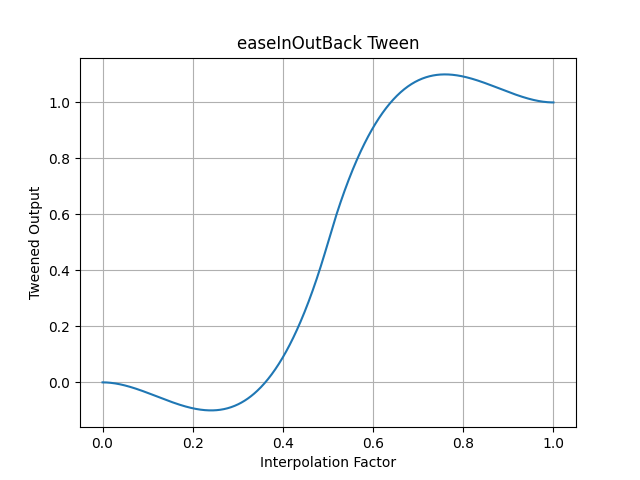
- pytweening.easeInOutBack()
- 
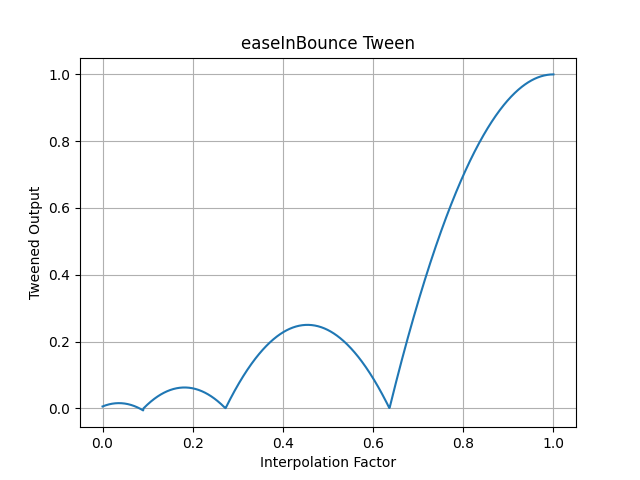
- pytweening.easeInBounce()
- 
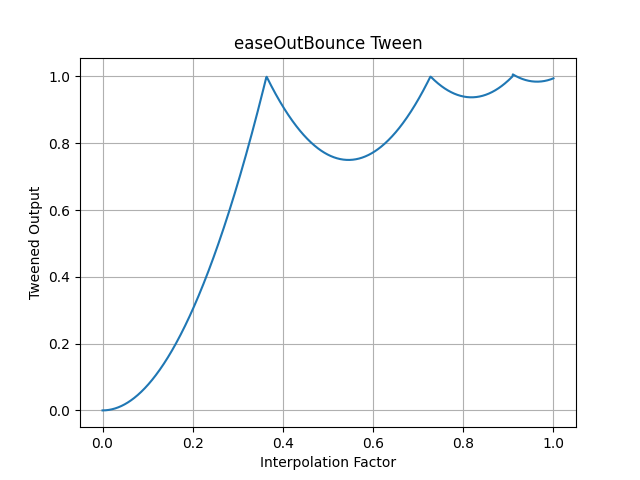
- pytweening.easeOutBounce()
- 
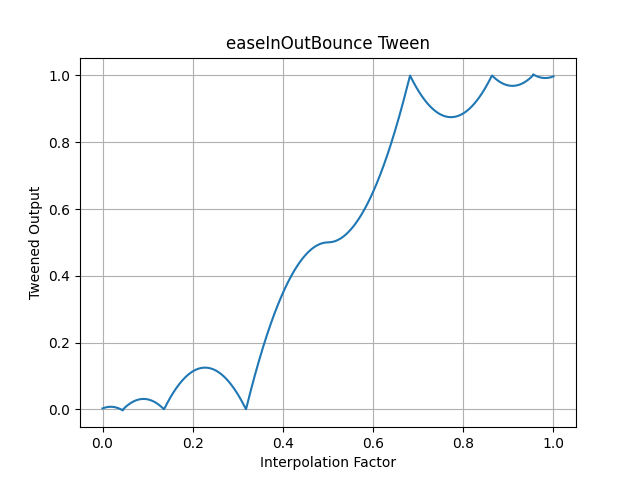
- pytweening.easeInOutBounce()
- 
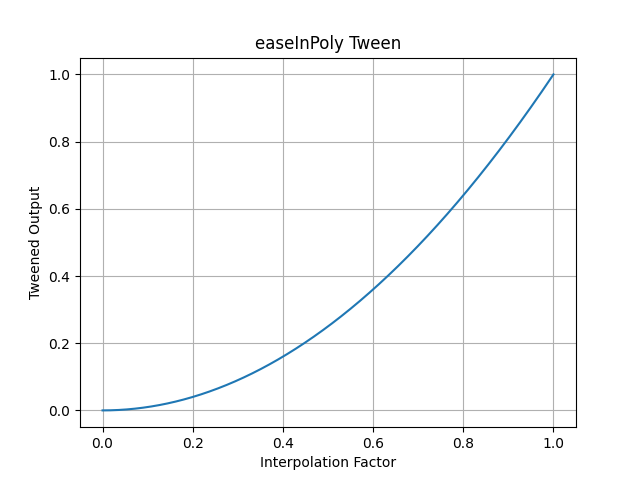
- pytweening.easeInPoly() (default degree of 2)
- 
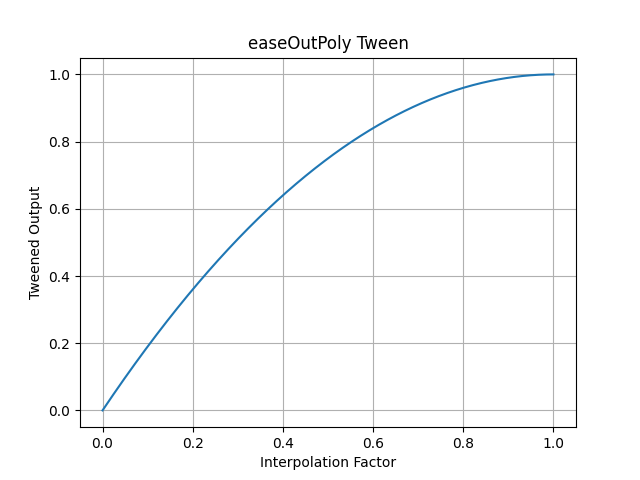
- pytweening.easeOutPoly() (default degree of 2)
- 
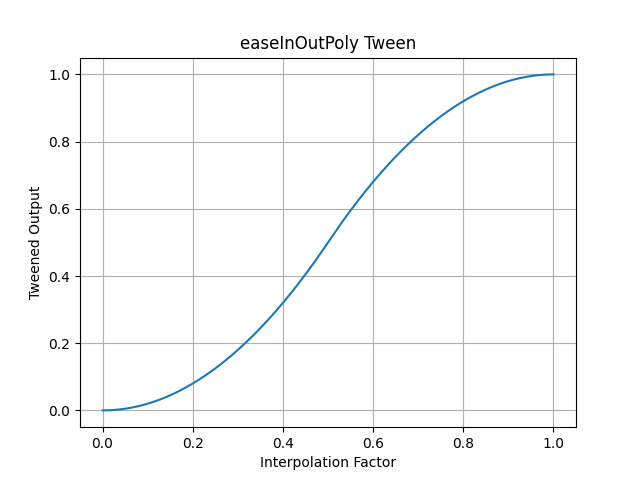
- pytweening.easeInOutPoly() (default degree of 2)
- 
- Support
- -------
- If you find this project helpful and would like to support its development, [consider donating to its creator on Patreon](https://www.patreon.com/AlSweigart).
|
